Download Crunchi

 crunchi
Get Crunchi
crunchi
Get Crunchi


A LITTLE INVITE MAGIC
Crunchi turns your meals into a rainbow of carbs, protein, fats, and fiber. Snap a photo, say it, or search, and see how you're nourishing yourself!
LET’S DO THIS
Keep your referral code handy, then follow along on your iPhone.
Set up your account and continue until you reach the subscription screen.
ON THE SUBSCRIPTION SCREEN
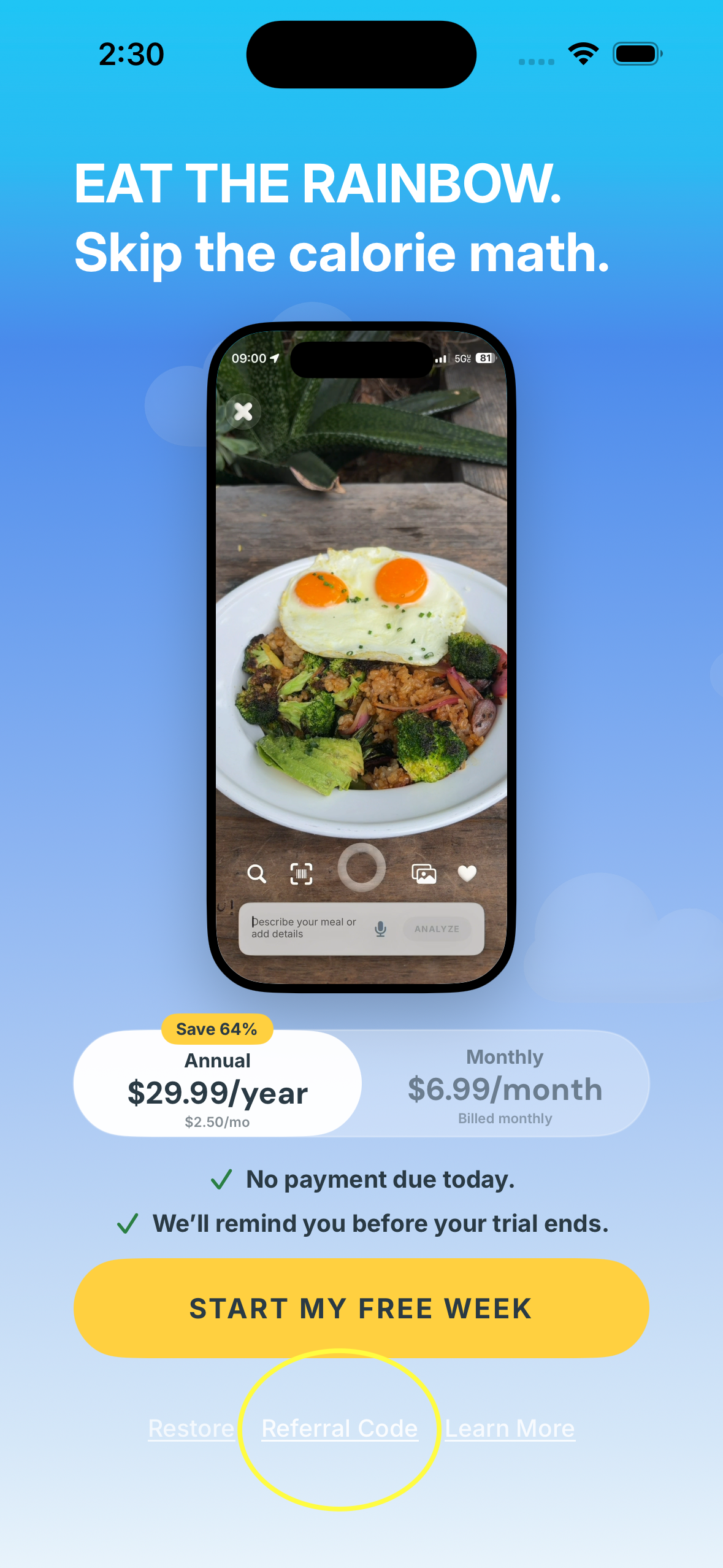
Look below the yellow “Start My Free Week” button. We circled the spot for you.
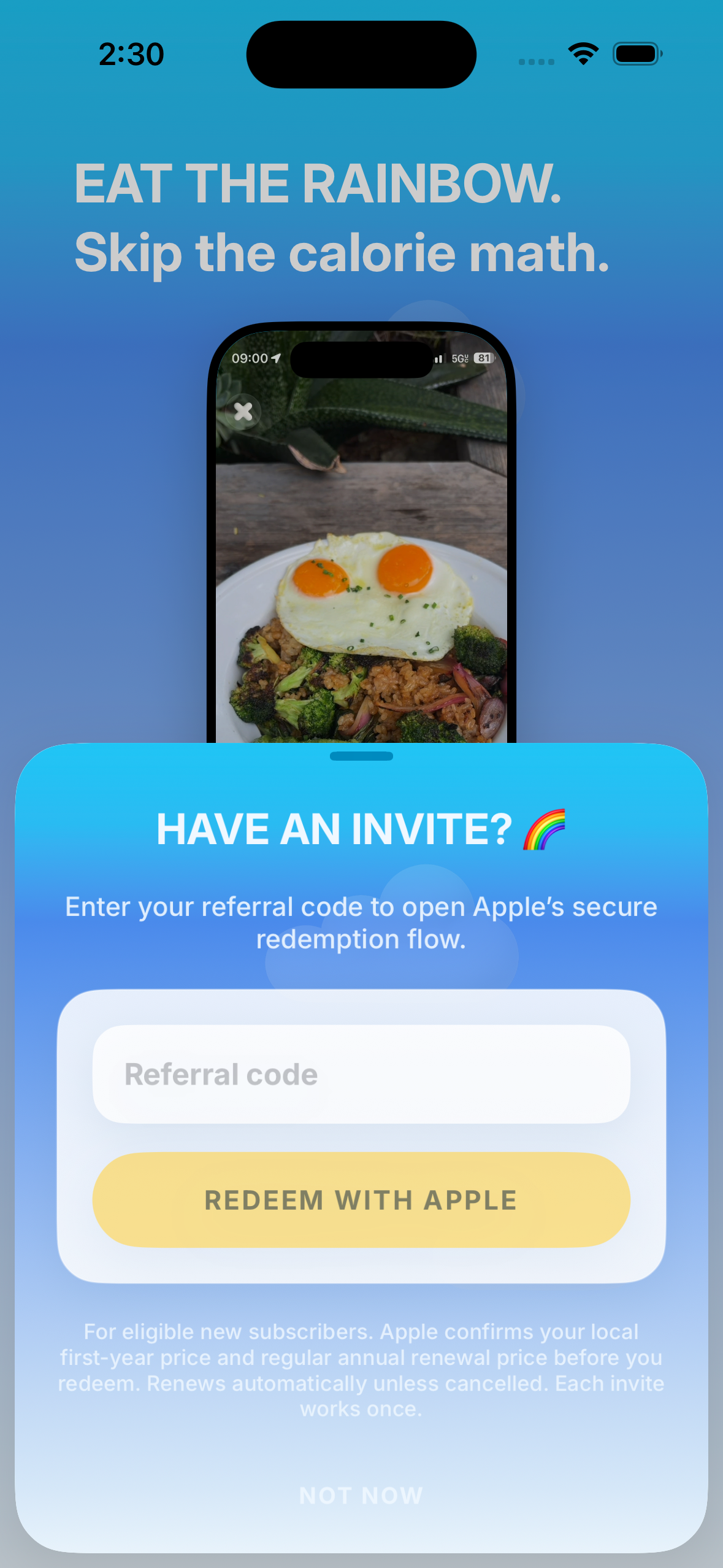
HAVE AN INVITE?
Type your code into the referral code field, then tap “Redeem with Apple.”
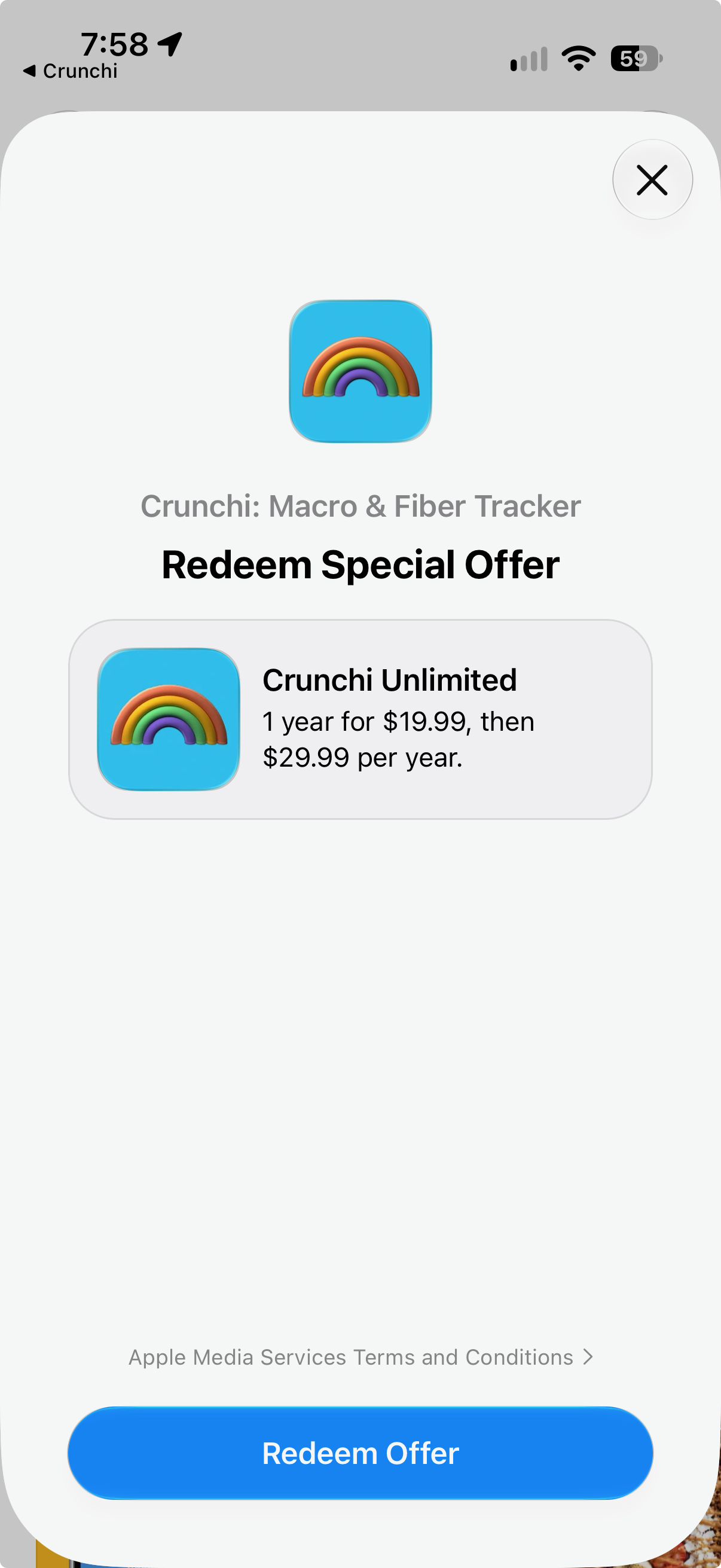
ALMOST THERE
Apple will show your special offer. Review the details Apple displays, then tap “Redeem Offer” to confirm.
You’re all set. Open Crunchi, add a meal, and watch your rainbow grow!
See what Crunchi can do